Server-Side Encryption in Laravel Without AWS: Step-by-Step
Encrypt uploaded files at rest on your own server in Laravel, no AWS needed: AES-256-GCM, a custom encrypted disk, protected downloads and safe uploads.
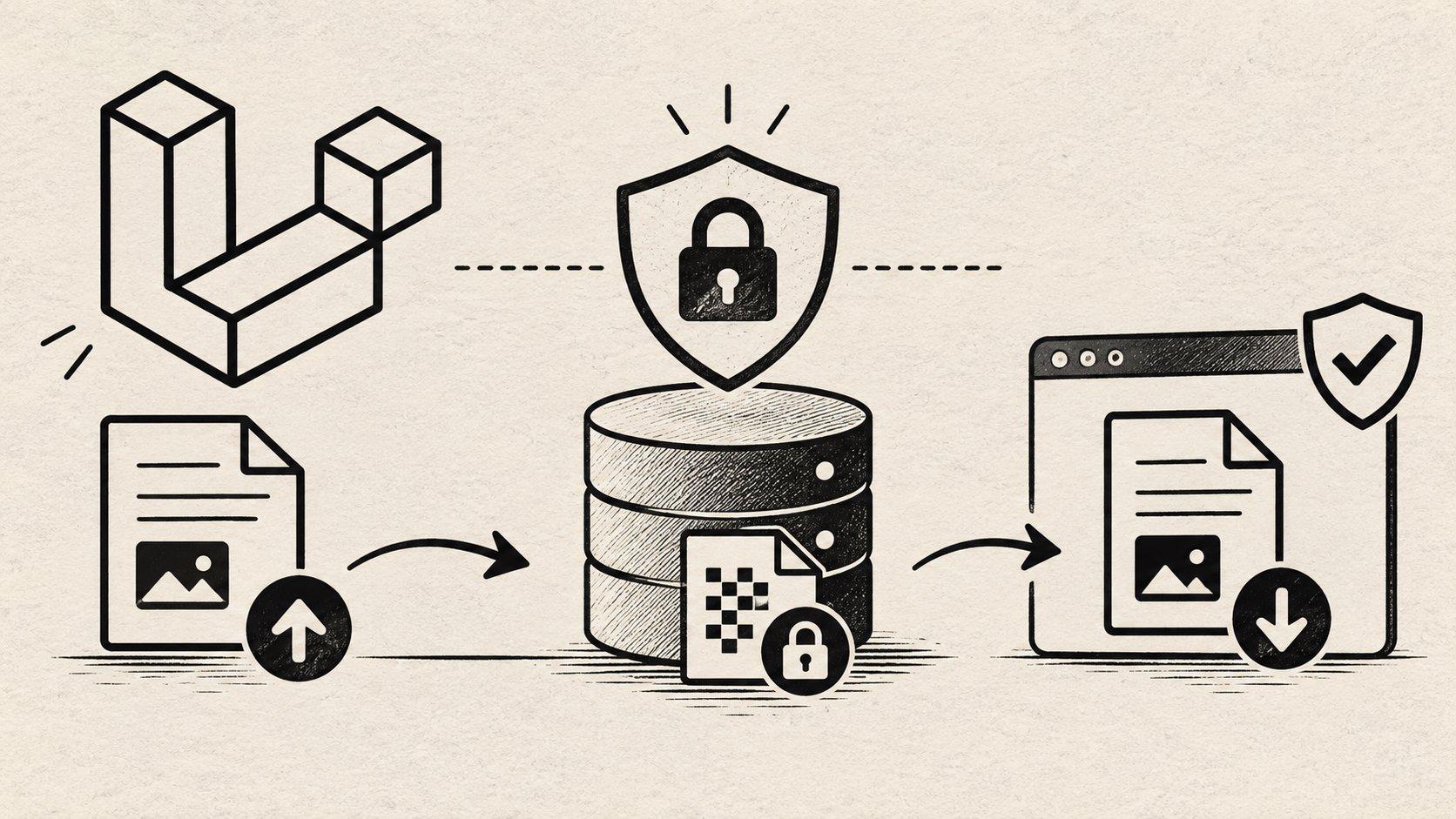
If your files live on Amazon S3, encrypting them at rest is basically a checkbox. AWS calls it server-side encryption: you upload a file, S3 encrypts it before saving it, and decrypts it when you read it back. You never think about it again.
But what if your files are on your own server?
That was my situation on the CRI Souss-Massa support-request platform. It's a Laravel app where entrepreneurs work with regional agents to get their projects funded, and they upload a lot of sensitive documents along the way: business plans, financing plans, permits, sometimes a scan of an ID card. Everything is stored on our own VPS. Then a ticket landed on my board: "Implement Secure Document Storage and Encryption".
No S3, no checkbox. I had to build it.
I'll be honest about how I got there. I didn't know the right design on day one. I spent a couple of evenings going back and forth with ChatGPT and Claude, asking each of them how they would do it, then asking them to poke holes in each other's answers. That was really useful for seeing the options side by side:
- Encrypt in every controller before saving. Simple, but one forgotten upload and you have plaintext on disk.
- Use Laravel's
Cryptfacade. It works, but it uses yourAPP_KEY, it loads the whole file in memory, and the output is Base64, so files grow by about a third. - Encrypt at the storage layer, so the app doesn't even know it's happening. This is how S3 does it, and it's the one I picked.
The AI tools gave me the map, not the finished thing. Some of what they suggested didn't survive the first test, so I checked everything against the Laravel, Flysystem and PHP docs and wrote tests for every claim. This post is the result: a step-by-step guide to encrypting files at rest in Laravel, on your own server, with no AWS required.
What we're building
Here's the whole idea in four lines:
- A private disk that holds only encrypted files.
- An encrypted disk that sits on top of it. It encrypts when you write and decrypts when you read.
- A key that lives in your environment, separate from
APP_KEY. - One protected route for downloads, because encrypted files can't have public URLs.
Once it's in place, your code looks exactly like before:
Storage::disk('documents')->put('plans/business-plan.pdf', $contents);

$contents = Storage::disk('documents')->get('plans/business-plan.pdf');
You write a normal file and read a normal file. What's actually on the server's disk in between is unreadable without the key.
What you need: a Laravel app (10 or newer), PHP 8.2+ with the openssl extension, and basic
knowledge of Laravel's file storage. You don't need to know
anything about cryptography. I'll explain the few ideas we use as we go.
Step 1: Find out where your files live today
Don't skip this one. Before writing any encryption code, I traced every upload in the app, and what I found changed my priorities. This was in our media library config:
'disk_name' => env('MEDIA_DISK', 'public'),Every document was going to Laravel's public disk. That disk is linked into the web root, so
each business plan was a plain file that anyone with the URL could open. No login needed.
Think about what that means for our task. If I had only added encryption, I would have ended up with nicely encrypted files... served to anybody who asked. Encryption protects you when someone steals the disk or a backup. It does nothing if your app hands the file out itself.
So check these two things first:
- Which disk do your uploads use? If it's
public, they need to move. - How are files downloaded? If the frontend links straight to a file URL, that has to become a route with a permission check. We'll do that in Step 6.
Step 2: Create a dedicated encryption key
We need a secret key: 32 random bytes, which is what AES-256 expects. Generate one from your terminal:
php -r "echo base64_encode(random_bytes(32)), PHP_EOL;"Put the result in your .env file (and never in Git):
DOCUMENT_ENCRYPTION_KEY=paste-the-generated-value-hereThen expose it through a small config file, config/documents.php, so the rest of the app never
calls env() directly:
<?php

return [
    'key' => env('DOCUMENT_ENCRYPTION_KEY'),
];
You might wonder: why not just reuse APP_KEY? Because APP_KEY already protects your sessions
and cookies. If the same key also protects your documents, one leak opens everything. Two keys
means an attacker has to steal two secrets.
I didn't want to rely on people remembering that rule, so the code enforces it. In
AppServiceProvider, inside the register() method, we tell Laravel how to build our cipher
(the class we'll write in the next step):
use App\Support\Encryption\DocumentCipher;
use Illuminate\Support\Str;
use RuntimeException;

$this->app->singleton(DocumentCipher::class, function () {
    $key = base64_decode((string) config('documents.key'), true);

    if ($key === false || strlen($key) !== 32) {
        throw new RuntimeException('DOCUMENT_ENCRYPTION_KEY must be a Base64-encoded 32-byte key.');
    }

    $appKey = base64_decode(Str::after((string) config('app.key'), 'base64:'));

    if (hash_equals($appKey, $key)) {
        throw new RuntimeException('DOCUMENT_ENCRYPTION_KEY must be different from APP_KEY.');
    }

    return new DocumentCipher($key);
});
Two things to notice. First, the closure only runs when something actually needs the cipher, so a
server without the key can still run artisan commands. Second, the error messages say what's
wrong but never print the key itself. Error messages end up in logs, and logs end up everywhere.
Step 3: Write the cipher
This is the heart of the tutorial, so let's go slowly. The cipher is a class with one job: turn readable bytes into unreadable ones, and back.
We'll use AES-256-GCM. You only need to know two things about it:
- It encrypts: without the key, the content is noise.
- It authenticates: every encrypted piece comes with a small "tag", a kind of seal. If someone changes even one byte of the file, the seal breaks and decryption fails. So you can't be tricked into serving a tampered document.
On top of that, we'll use a technique called envelope encryption. It sounds fancy, but the idea is simple: every file gets its own random key, and we lock that little key with our master key and store it at the top of the file. Like putting each document in its own locked box, then keeping all the box keys in a safe. The master key never touches a big file directly, and it's the same approach AWS uses.
Encrypting
Create app/Support/Encryption/DocumentCipher.php:
<?php

namespace App\Support\Encryption;

use Generator;
use RuntimeException;

final class DocumentCipher
{
    private const MAGIC = 'LENC1';
    private const CHUNK_SIZE = 65536;
    private const TAG_LENGTH = 16;
    private const HEADER_LENGTH = 73; // magic 5 + wrap nonce 12 + wrapped key 32 + wrap tag 16 + nonce prefix 8

    public function __construct(private readonly string $masterKey) {}

    public function encrypt(string $plaintext): string
    {
        // 1. A fresh random key for this file only.
        $dataKey = random_bytes(32);

        // 2. Lock that key with the master key, and keep the locked copy in the header.
        $wrapNonce = random_bytes(12);
        $wrappedKey = openssl_encrypt($dataKey, 'aes-256-gcm', $this->masterKey, OPENSSL_RAW_DATA, $wrapNonce, $wrapTag, self::MAGIC);

        $noncePrefix = random_bytes(8);
        $header = self::MAGIC.$wrapNonce.$wrappedKey.$wrapTag.$noncePrefix;

        // 3. Encrypt the content in 64 KB chunks with the file's own key.
        $chunks = $plaintext === '' ? [''] : str_split($plaintext, self::CHUNK_SIZE);
        $last = count($chunks) - 1;
        $output = $header;

        foreach ($chunks as $index => $chunk) {
            $output .= openssl_encrypt(
                $chunk,
                'aes-256-gcm',
                $dataKey,
                OPENSSL_RAW_DATA,
                $noncePrefix.pack('N', $index),
                $tag,
                $this->chunkAad($header, $index, $index === $last),
            ).$tag;
        }

        return $output;
    }

    private function chunkAad(string $header, int $index, bool $final): string
    {
        return $header.pack('J', $index).($final ? "\x01" : "\x00");
    }
}
Let's walk through it.
The header. Every encrypted file starts with LENC1, a "magic" marker that lets us recognize
our own files (handy later, when we migrate old ones). After it comes the locked copy of the
file's key and its seal. That's 73 bytes in total, the same for every file.
The nonce. AES-GCM needs a "nonce" for every encryption: a number that must never be used twice with the same key. It isn't secret, it just has to be unique. We build it from 8 random bytes per file plus the chunk number, so no two chunks ever share one.
The chunks. Why not encrypt the file in one go? Because PHP's
openssl_encrypt can't stream GCM.
It wants the whole content in memory, and when decrypting it gives you nothing until it has
checked everything. With 64 KB chunks, we can later send a download to the browser piece by
piece, with each piece verified before it leaves.
The chunkAad() method. This small function fixes a real weakness. If each chunk is sealed
on its own, an attacker could still shuffle the chunks around, or cut the end off the file, and
every remaining chunk would look valid. GCM lets us attach "associated data" to a seal: extra
information that isn't encrypted but must match when decrypting. We attach the file header, the
chunk's position, and a flag saying "this is the last chunk". Now a chunk is only valid in its
exact place, in its exact file.
Decrypting
Add these two methods to the same class:
/**
 * @param  resource  $stream  the encrypted file
 * @return Generator<int, string> the decrypted content, one chunk at a time
 */
public function decryptStream($stream): Generator
{
    $header = (string) stream_get_contents($stream, self::HEADER_LENGTH);

    if (strlen($header) !== self::HEADER_LENGTH || ! str_starts_with($header, self::MAGIC)) {
        throw new RuntimeException('This file is not an encrypted document.');
    }

    $dataKey = openssl_decrypt(
        substr($header, 17, 32),
        'aes-256-gcm',
        $this->masterKey,
        OPENSSL_RAW_DATA,
        substr($header, 5, 12),
        substr($header, 49, 16),
        self::MAGIC,
    );

    if ($dataKey === false) {
        throw new RuntimeException('The document could not be decrypted.');
    }

    $noncePrefix = substr($header, 65, 8);
    $blockLength = self::CHUNK_SIZE + self::TAG_LENGTH;
    $block = (string) stream_get_contents($stream, $blockLength);
    $index = 0;

    do {
        // Read one block ahead, so we know whether the current one is the last.
        $next = (string) stream_get_contents($stream, $blockLength);
        $final = $next === '';

        $chunk = strlen($block) < self::TAG_LENGTH ? false : openssl_decrypt(
            substr($block, 0, -self::TAG_LENGTH),
            'aes-256-gcm',
            $dataKey,
            OPENSSL_RAW_DATA,
            $noncePrefix.pack('N', $index),
            substr($block, -self::TAG_LENGTH),
            $this->chunkAad($header, $index, $final),
        );

        if ($chunk === false) {
            throw new RuntimeException('The document could not be decrypted.');
        }

        yield $chunk;

        $block = $next;
        $index++;
    } while (! $final);
}

/** The original size of a file, worked out from its encrypted size. */
public function plaintextSize(int $encryptedSize): int
{
    $body = $encryptedSize - self::HEADER_LENGTH;
    $chunks = (int) ceil($body / (self::CHUNK_SIZE + self::TAG_LENGTH));

    return $body - $chunks * self::TAG_LENGTH;
}
decryptStream() does the reverse trip: read the header, unlock the file's key with the master
key, then decrypt chunk by chunk. It's a
generator, which means it hands
back one chunk at a time with yield. A 20 MB file never sits fully in memory.
The "read one block ahead" trick is how we know we're on the last chunk: if nothing comes after it, it must be the final one. And because that flag is part of the seal, a file that was cut short fails right there.
Notice the error messages are vague on purpose. "Could not be decrypted" is all anyone needs to know. Telling an attacker why it failed only helps them.
plaintextSize() is a small helper for later. Encrypted files are a bit bigger than the originals
(73 bytes of header plus 16 bytes per chunk), and since that overhead is fixed, we can calculate
the real size without decrypting anything.
Step 4: Build the encrypted disk adapter
Laravel's storage is built on a library called Flysystem. Every disk (local, S3, FTP) is an "adapter" that knows how to write, read, delete and so on. We're going to write an adapter that wraps another adapter and adds encryption in the middle. This pattern is called a decorator.
Create app/Support/Encryption/EncryptedFilesystemAdapter.php:
<?php

namespace App\Support\Encryption;

use Generator;
use League\Flysystem\Config;
use League\Flysystem\FileAttributes;
use League\Flysystem\FilesystemAdapter;
use League\MimeTypeDetection\ExtensionMimeTypeDetector;

final class EncryptedFilesystemAdapter implements FilesystemAdapter
{
    public function __construct(
        private readonly FilesystemAdapter $inner,
        private readonly DocumentCipher $cipher,
    ) {}

    public function write(string $path, string $contents, Config $config): void
    {
        $this->inner->write($path, $this->cipher->encrypt($contents), $config);
    }

    public function writeStream(string $path, $contents, Config $config): void
    {
        $this->write($path, stream_get_contents($contents), $config);
    }

    /** Decrypts a file one chunk at a time. Used for downloads. */
    public function readChunks(string $path): Generator
    {
        yield from $this->cipher->decryptStream($this->inner->readStream($path));
    }

    public function read(string $path): string
    {
        return implode('', iterator_to_array($this->readChunks($path), false));
    }

    public function readStream(string $path)
    {
        $stream = fopen('php://memory', 'w+b');

        foreach ($this->readChunks($path) as $chunk) {
            fwrite($stream, $chunk);
        }

        rewind($stream);

        return $stream;
    }

    public function fileSize(string $path): FileAttributes
    {
        $encryptedSize = $this->inner->fileSize($path)->fileSize();

        return new FileAttributes($path, $this->cipher->plaintextSize($encryptedSize));
    }

    public function mimeType(string $path): FileAttributes
    {
        $mimeType = (new ExtensionMimeTypeDetector)->detectMimeTypeFromPath($path);

        return new FileAttributes($path, mimeType: $mimeType ?? 'application/octet-stream');
    }

    public function delete(string $path): void
    {
        $this->inner->delete($path);
    }

    // fileExists, directoryExists, deleteDirectory, createDirectory, setVisibility, visibility,
    // lastModified, listContents, move and copy all pass straight through, exactly like delete().
}
The idea is easy to follow once you see it:
- Writing goes through the cipher first, then to the real disk. The real disk only ever sees encrypted bytes.
- Reading comes back through the cipher.
readChunks()is our own extra method, and we'll use it for downloads so big files are streamed. fileSize()has to report the original size, not the encrypted one, or download progress bars andContent-Lengthheaders would be wrong. That's whatplaintextSize()was for.mimeType()normally peeks inside the file to guess its type. Our files are noise now, so we go by the file extension. That's safe because we check the real content at upload time, before encrypting (Step 7).- Everything else (delete, move, copy, list...) doesn't care what's inside the file, so it goes
straight to the inner adapter. The interface has about ten of these one-liners. I've shown
delete(); the rest look the same.
One honest limitation: write() encrypts the whole upload in memory. For us that's fine, because
uploads are capped at 20 MB by validation. If you handle very large files, you'd make the write
side work chunk by chunk too.
Step 5: Register the encrypted disk
Now we plug it into Laravel. First, two disks in config/filesystems.php:
'documents_raw' => [
    'driver' => 'local',
    'root' => storage_path('app/documents'),
    'throw' => true,
],

'documents' => [
    'driver' => 'encrypted',
    'disk' => 'documents_raw',
],
documents_raw is a normal private disk, outside the public/ folder. documents is the one the
app will use. Its driver, encrypted, doesn't exist in Laravel, so we teach it. Laravel lets you
register custom drivers in the boot()
method of AppServiceProvider:
use App\Support\Encryption\DocumentCipher;
use App\Support\Encryption\EncryptedFilesystemAdapter;
use Illuminate\Filesystem\FilesystemAdapter;
use Illuminate\Support\Facades\Storage;
use League\Flysystem\Filesystem;

Storage::extend('encrypted', function ($app, array $config) {
    $innerDisk = Storage::disk($config['disk'] ?? 'documents_raw');

    $adapter = new EncryptedFilesystemAdapter(
        $innerDisk->getAdapter(),
        $app->make(DocumentCipher::class),
    );

    return new FilesystemAdapter(new Filesystem($adapter, $config), $adapter, $config);
});
When Laravel meets a disk with the encrypted driver, it runs this closure: take the inner disk,
wrap its adapter in ours, and return the result as a regular Laravel disk.
The nice part of this design is that the inner disk can be anything. Local today, an S3-compatible bucket tomorrow. It doesn't matter, because it only ever holds encrypted bytes.
Now point your uploads at the new disk. With plain Laravel, use Storage::disk('documents'). We
use Spatie Media Library, so for us it was one line
in .env:
MEDIA_DISK=documentsAnd that's the payoff of encrypting at the storage layer. Spatie has no idea anything changed. It stores, copies and deletes files like before, and every upload feature we add in the future is encrypted without anyone having to remember.
Step 6: Serve downloads through one protected route
Encrypted files can't have public URLs. A direct link would just serve noise. Every download has to go through Laravel, which gives us a single place to check permissions:
Route::get('secure-media/{media}/{conversion?}', [SecureMediaController::class, 'show'])
    ->whereUuid('media')
    ->middleware(['auth:lead,agent,admin', 'throttle:120,1'])
    ->name('media.show');
Three small decisions here are worth explaining:
- The URL uses the file's UUID, not its numeric ID. With IDs, anyone could try
/1,/2,/3and walk through every document. auth:lead,agent,adminmeans you must be logged in as one of our three user types.throttle:120,1limits each user to 120 requests a minute, so nobody can scrape in bulk.
Here's the core of the controller:
public function show(Request $request, string $media): StreamedResponse
{
    $media = Media::where('uuid', $media)->firstOrFail();

    $allowed = collect(['lead', 'agent', 'admin'])
        ->map(fn (string $guard) => auth($guard)->user())
        ->filter()
        ->contains(fn ($user) => $user->can('view', $media));

    abort_unless($allowed, 404);

    $adapter = Storage::disk($media->disk)->getAdapter();
    $path = $media->getPathRelativeToRoot();

    return response()->streamDownload(function () use ($adapter, $path) {
        foreach ($adapter->readChunks($path) as $chunk) {
            echo $chunk;
            flush();
        }
    }, $media->file_name, [
        'Content-Type' => 'application/octet-stream',
        'Cache-Control' => 'private, no-store',
        'X-Content-Type-Options' => 'nosniff',
    ]);
}
What's happening:
- We find the file by its UUID.
- We ask a policy whether the current user may view it. Ours decides based on who owns the document: the entrepreneur who owns the request, the agent it's assigned to, or the people in that chat thread. Anything the policy doesn't recognize is denied. (In our app one browser can be logged into more than one guard, so we check each of them.)
- If the answer is no, we return 404, not 403. A 403 says "this file exists, you just can't have it". A 404 says nothing at all.
- We stream the file with
readChunks()from Step 4. Each chunk is decrypted, verified and sent, so memory stays flat and the decrypted file is never written to disk.
The headers tell the browser not to cache the document (no-store) and not to guess its type
(nosniff).
Step 7: Check uploads before you encrypt them
Encryption protects files from people who shouldn't read them. It doesn't protect you from the files. A malicious upload is still malicious after it's encrypted, so validation has to happen first.
While tracing our uploads I found this in a chat controller:
$request->validate([
    'content' => ['required', 'string'],
    'message.attachments' => ['nullable', 'array'],
]);

$attachments = $request->file('attachments', []);
Look closely at the field names. The rule checks message.attachments, but the code reads
attachments. So the attachments were never validated at all. It's an easy mistake to make and a
hard one to spot, which is why I replaced the scattered checks with one
custom validation rule used on
every upload:
<?php

namespace App\Rules;

use Closure;
use finfo;
use Illuminate\Contracts\Validation\ValidationRule;
use Illuminate\Http\UploadedFile;

final class SecureUpload implements ValidationRule
{
    private const ALLOWED = [
        'pdf' => ['application/pdf'],
        'jpg' => ['image/jpeg'],
        'jpeg' => ['image/jpeg'],
        'png' => ['image/png'],
    ];

    public function validate(string $attribute, mixed $value, Closure $fail): void
    {
        if (! $value instanceof UploadedFile || ! $value->isValid()) {
            $fail('The :attribute must be an uploaded file.');

            return;
        }

        $name = strtolower($value->getClientOriginalName());

        if (preg_match('/\.(php\d?|phtml|phar|exe|sh|js|html?|svg)(\.|$)/', $name)) {
            $fail('The :attribute has a file type that is not allowed.');

            return;
        }

        $extension = strtolower($value->getClientOriginalExtension());
        $sniffed = (new finfo(FILEINFO_MIME_TYPE))->file($value->getRealPath());

        if (! in_array($sniffed, self::ALLOWED[$extension] ?? [], true)) {
            $fail('The :attribute does not look like a valid '.$extension.' file.');
        }
    }
}
And you use it like any other rule:
$request->validate([
    'attachments' => ['nullable', 'array', 'max:5'],
    'attachments.*' => ['file', 'max:20480', new SecureUpload],
]);
The rule makes three checks:
- Is it a real uploaded file? This matters more than it looks. One of our flows accepted a
plain text path as an "attachment", and the media library would happily copy that file from
the server. Requiring a real
UploadedFilecloses that door. - Is there a dangerous extension anywhere in the name? This catches tricks like
invoice.php.pdf. - Does the content match the extension?
finforeads the first bytes of the file to see what it really is. A PHP script renamed to.pdfis still a PHP script, and it gets rejected.
A tip from a mistake I made: my first version used $file->getMimeType(), and my test with a fake
PDF kept passing. It took me a while to understand why. Laravel's fake uploaded files (the ones
you create in tests) report a type guessed from the extension. Calling finfo directly makes the
test and production behave the same way.
One more thing we did: store files under random names. People name files things like
passport-jane-doe.pdf, and that shouldn't show up in storage paths or backups. The readable name
stays in the database and is only used when an authorized person downloads the file.
Step 8: Encrypt the files you already have
New uploads are covered, but the old ones are still sitting in plaintext. The move is simple: read each file from the old disk, write it to the encrypted disk, and delete the original only after the new copy is safely in place.
$old = Storage::disk('public');
$new = Storage::disk('documents');

foreach ($old->allFiles('documents') as $path) {
    $new->put($path, $old->get($path));

    if ($new->exists($path)) {
        $old->delete($path);
    }
}
In practice I wrapped this in an artisan command with a --dry-run option that only lists what it
would do. Run that first, take a backup, then run it for real. If you use Spatie Media Library,
also update the disk column on each media row so it points at the new disk.
Step 9: Force HTTPS (and avoid the trap I almost fell into)
Encryption at rest doesn't help if the file travels over plain HTTP on its way to the server. So I added a middleware that redirects HTTP to HTTPS and refuses uploads over HTTP completely (by the time you redirect an upload, the file has already been sent in clear text).
Then I checked how our app runs in production, and I'm glad I did. Like many setups, HTTPS is handled by a reverse proxy in front of the app. From Laravel's point of view, every request arrives as plain HTTP. My middleware would have redirected to HTTPS, received the request as "HTTP" again, redirected again... forever. The whole site would have gone down because of a security fix.
The fix is to tell Laravel to trust the proxy, so it knows the original request was HTTPS. Laravel documents this under configuring trusted proxies. If your app sits behind Nginx, a load balancer or Cloudflare, set this up before you turn on any HTTPS redirect.
Step 10: Test it like an attacker
"The owner can download their file" is the least interesting test you can write. The tests that matter are the ones where someone tries something they shouldn't. Here's the first one I'd write, using Pest:
it('never stores readable content on disk', function () {
    Storage::disk('documents')->put('plan.pdf', '%PDF-1.7 my secret business plan');

    $raw = Storage::disk('documents_raw')->get('plan.pdf');

    expect($raw)->toStartWith('LENC1')
        ->not->toContain('%PDF')
        ->not->toContain('secret');

    expect(Storage::disk('documents')->get('plan.pdf'))->toBe('%PDF-1.7 my secret business plan');
});
It writes a file through the encrypted disk, then reads the raw disk to prove that what's really stored is unreadable, and finally checks that we get the original back.
From there, keep thinking like an attacker:
- Flip one byte in a stored file. Swap two chunks. Cut off the end. Decryption must fail every time.
- Try to download someone else's document as another user, as a guest, as an admin. Expect a 404.
- Upload a PHP script renamed to
.pdf, a file namedx.php.pdf, a PNG pretending to be a PDF. All rejected. - Make sure nothing in the app still links to the old public URLs.
On our project this work added 57 tests, taking the suite from 88 to 145.
Where to go next
What we built is a solid baseline. Here's what I'd add next, roughly in order:
- Key rotation. Store a key ID in the file header and keep retired keys around for reading. Then you can change the master key without re-encrypting everything on the same day. Our production version does this.
- A key management service (AWS KMS, HashiCorp Vault) instead of an environment variable. Thanks to envelope encryption it's a small change: only the step that locks and unlocks each file's key has to move.
- Malware scanning before files are stored, with ClamAV or a cloud scanner.
- A download audit log, so you know who opened which document and when.
Wrapping up
The biggest lesson for me wasn't about cryptography. The ticket asked for encryption, but the most urgent problems were a config default and a validation rule looking at the wrong field. If I had jumped straight to the crypto, I would have shipped beautifully encrypted files that were still public.
So if you take one thing from this guide: trace where your files go before you write anything. Then put the protection in one place (one disk, one route, one rule) so the next feature gets it for free.
And about the AI part: ChatGPT and Claude were great for exploring options quickly and for explaining concepts like envelope encryption when I was stuck. But I still had to read the docs, write the tests and understand every line before it went anywhere near production. With security code especially, don't ship what you can't explain.
Useful references
- Laravel: File Storage, including custom filesystems
- Laravel: Encryption, to see what the
Cryptfacade does and doesn't do - Laravel: Validation, custom rules
- Laravel: Authorization, policies
- Flysystem documentation
- PHP manual: openssl_encrypt
- OWASP File Upload Cheat Sheet
- Spatie Media Library
- AWS: Protecting data with server-side encryption, for comparison